Your personal assistant through an intuitive conversational interface. It helps users plan and book vacations while automatically factoring in availability by syncing with their calendars. The design emphasizes natural, human-like interactions, making complex tasks feel simple.
Role:
UI Designer
Platform:
Mobile
Year:
April 2025
Design Process
Overview
Arny is an AI-powered concierge assistant designed to help users simplify their daily tasks through a conversation based product. My role was to bring Arny to life visually, into a product that felt approachable and intuitive.
Because AI products can somewhat feel complex or unfamiliar, the UI needed a balance of being innovative, but familiar. I focused on bringing together the brand and the experience patterns users already understand.
Solution
By carefully selecting the color palette and visual hierarchy, I was able to ensure that the interface reflected the brand's personality while reinforcing it's ease of use. The design emphasizes approachability and helps users feel comfortable when interacting with the assistant. Through these UI decisions, I helped bridge the gap between AI intelligence and real-world usability.
Card Design
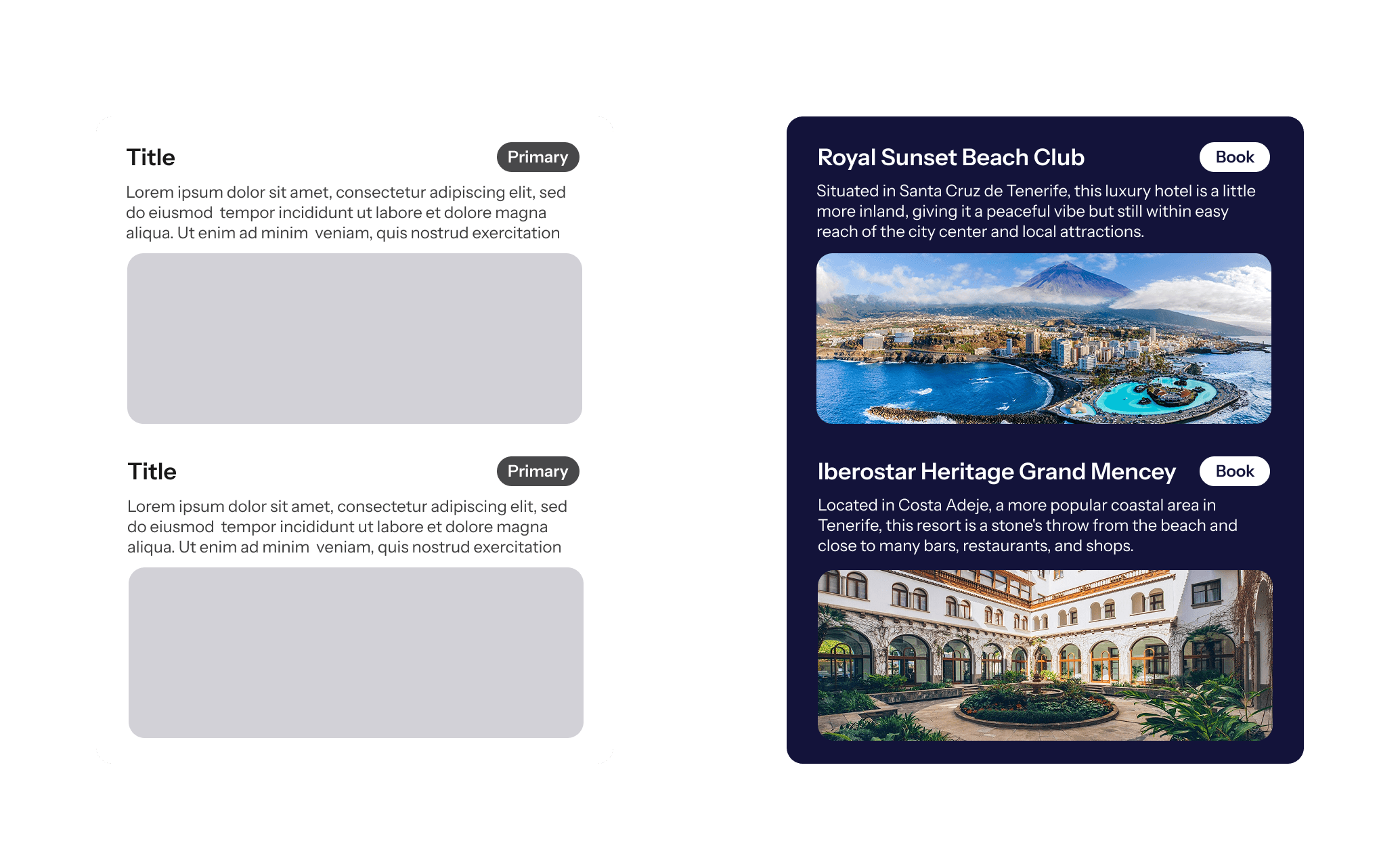
As the design progressed from low-fidelity to high-fidelity, the card component shows the multiple options generated by the AI. This feature allows users to quickly scan their options reducing the time needed for decision-making and researching. In this instance, users can also book their selected option without having to leave the app.
Visual Differentiation
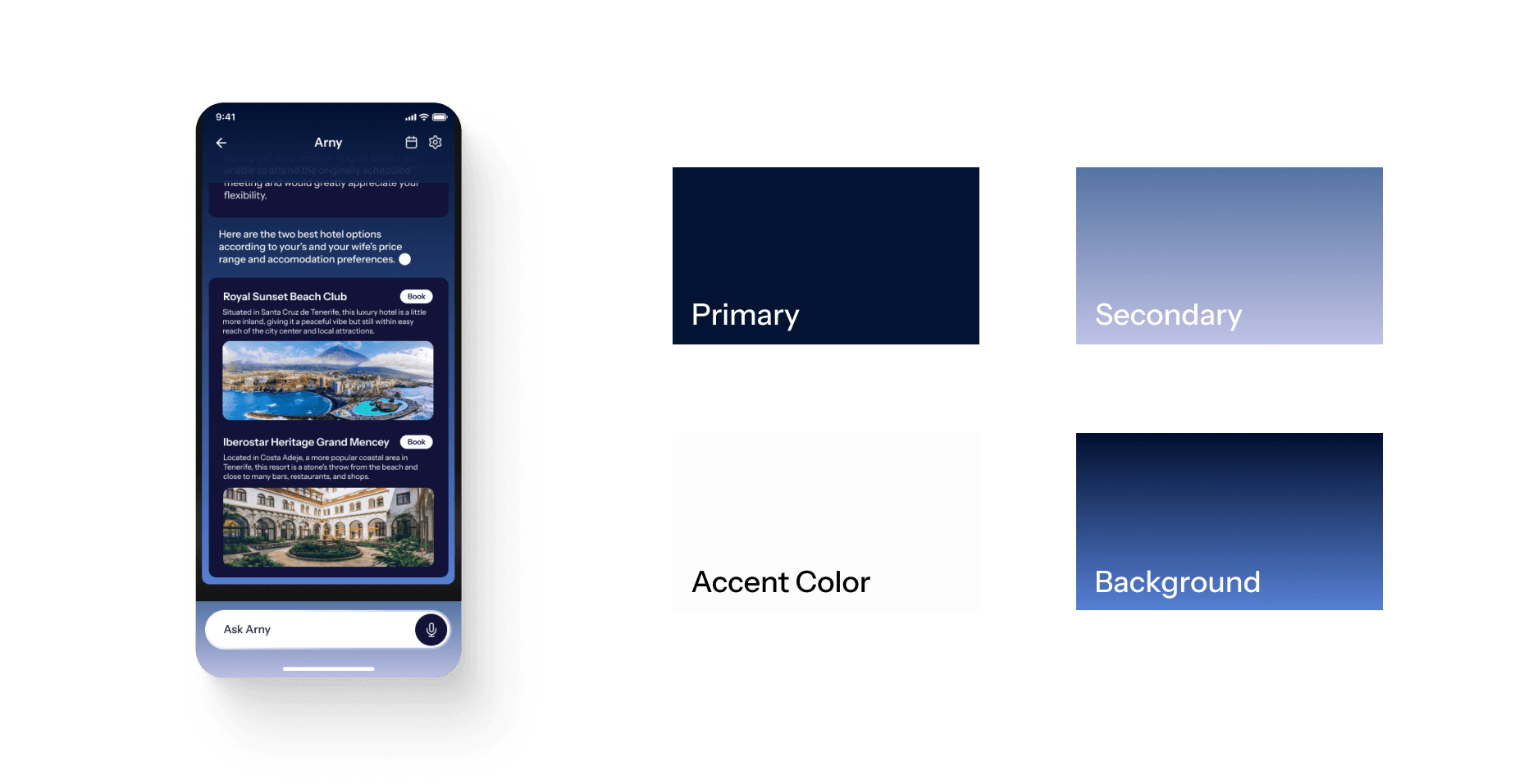
When selecting Arny's color palette, I explored how contemporary AI products have minimal color systems. To provide contrast, I introduced the use of subtle gradients in the background and secondary color to distinguish the product from other chatbot experiences.
This design choice adds visual interest to the interface while still maintaining features that many users are already familiar with.
Mid-fidelity to High-fidelity
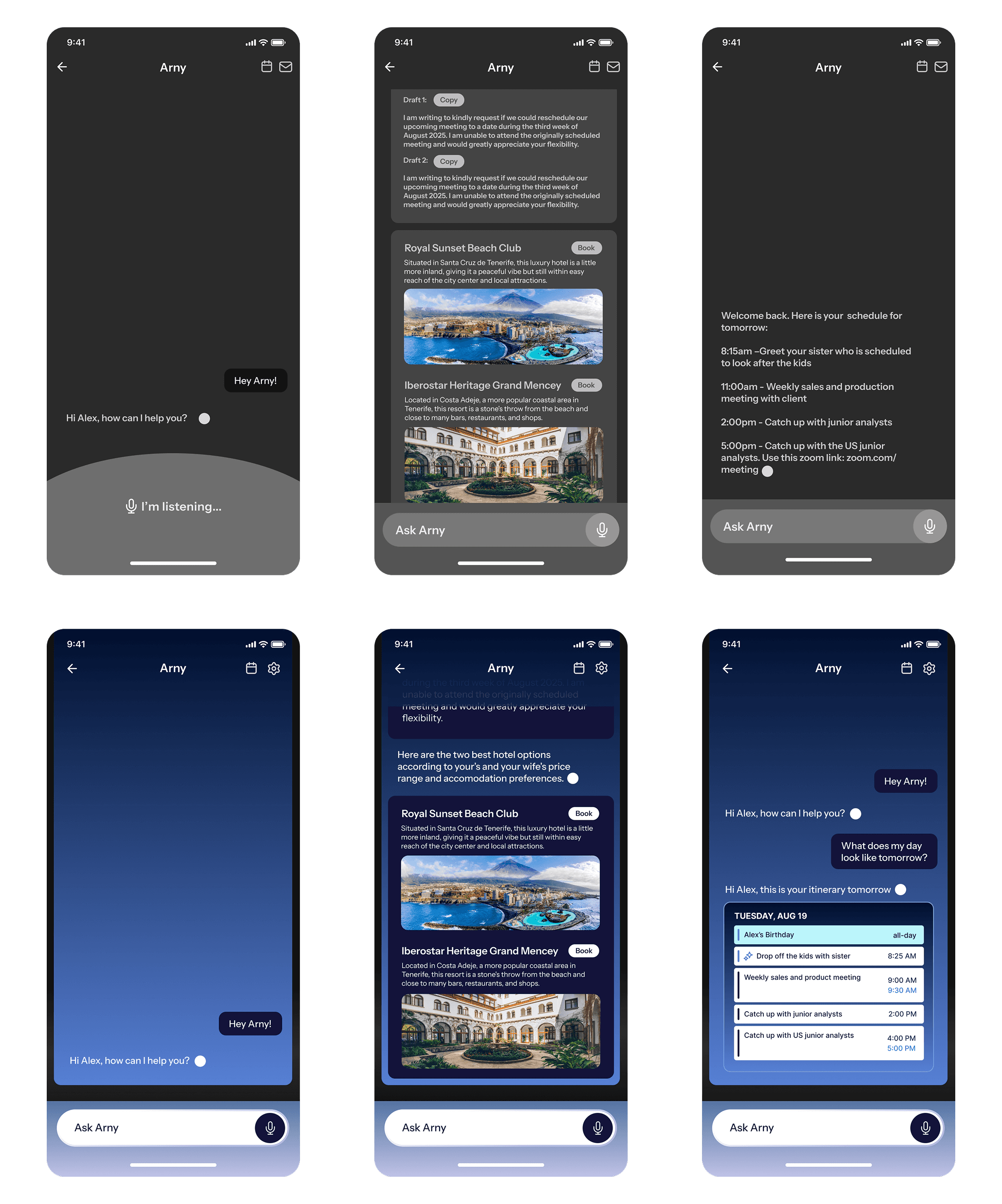
When transitioning from mid-fidelity designs, color was introduced to establish visual hierarchy and reinforce the brand identity. Primary and secondary colors were intentionally used to guide attention toward key actions while maintaining a clean interface. Gradients were introduced to make the app standout, but are kept to a minimum to prevent visual overload.

Conclusion
This case study highlights my approach to design, starting with structure, refining through visual systems, and finishing with a polished interface. Each decision was guided by simplicity and clarity so that the design is intentional and easy to use.